
Multi-Point Grid Scans
Choose a 3x3, 5x5, 7x7, or 9x9 grid with spacing that matches the market you need to measure. Dual engines included: free unlimited local scans plus optional DataForSEO API scanning.
Run unmetered geo-grid scans, find weak areas, track competitors, and export client-ready heatmaps from your Windows or Mac desktop.
Your visibility on Google Maps isn't uniform. You might rank #1 when a customer searches from two blocks away, but drop to #12 when they search from the next town over.
Looks great on standard trackers. You think you're winning.
Traffic starts dropping. Competitors are eating your leads.
Completely invisible to customers searching "near me".
If you only track ranks from a single location, you're missing the true picture of your local SEO. GeckoGrid maps your visibility across the places customers actually search.
GeckoGrid checks live Google Maps results from each point in your scan area, then turns those rankings into a color-coded map.
Enter a business address, target keyword, grid size, and spacing. GeckoGrid calculates the scan points needed to measure visibility across that area.
GeckoGrid runs live Google Maps searches from each grid point on your computer. Continue working while the scan progresses in the background.
GeckoGrid reads the live map-pack results, records your rank at every point, and draws a color-coded heatmap you can inspect or export.
Built for useful output
Scan the market, inspect the businesses ahead of you, and export evidence clients can understand.
Choose a 3x3, 5x5, 7x7, or 9x9 grid with spacing that matches the market you need to measure. Dual engines included: free unlimited local scans plus optional DataForSEO API scanning.
Turn rank data into a color-coded map and export crisp PNGs for reports, proposals, and review calls.
Keep every scan locally and compare snapshots over time to show where visibility improved or slipped.
Match coverage to the market with classic square grids, even honeycomb spacing, or radius-based rings.
See per-keyword leaderboards, rank trends, and competitor-versus-you map views that show exactly who owns each part of the grid.
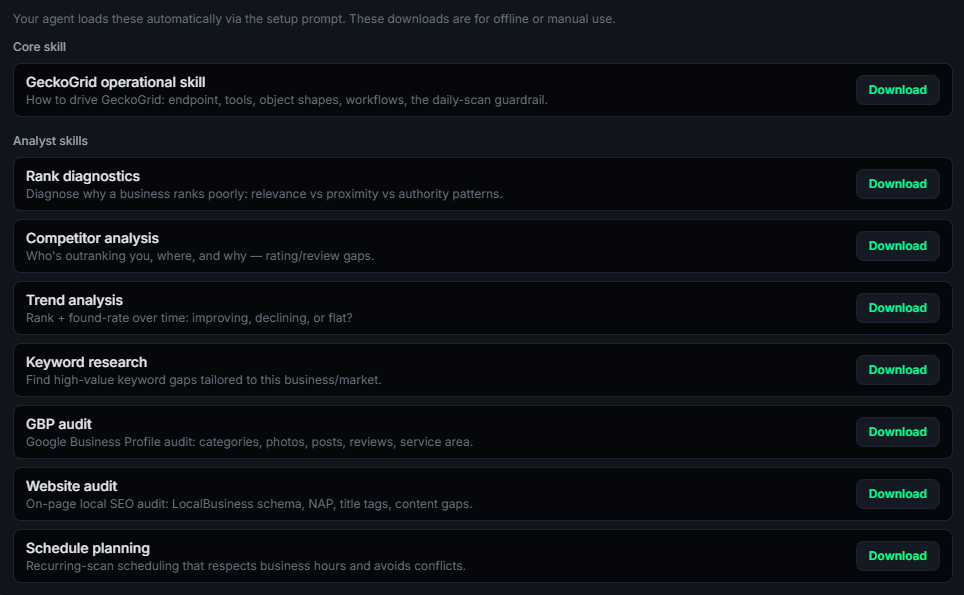
Connect Claude, Codex, Cursor, and other agents to a local MCP server with 28 tools and seven bundled analyst skills.
GeckoGrid runs a local MCP server, so Claude, Cursor, ZCode, Codex, and other agents can read your projects, trigger scans, and analyze results directly. Your data and endpoint stay on your machine.
GeckoGrid and the connected AI agent must be running on the same machine.
Run local visibility audits, win ongoing work, and justify retainers with clear heatmaps that show where rankings improved or slipped.
Standardize geo-grid reporting across clients, train your team on one tool, and add clear heatmaps to sales calls and monthly reports.
See exactly where your business appears around town, identify the areas competitors outrank you, and track whether your visibility improves.
Whether you track a franchise or an agency roster, GeckoGrid keeps each project's keywords, grid settings, heatmaps, and scan history organized on your machine.
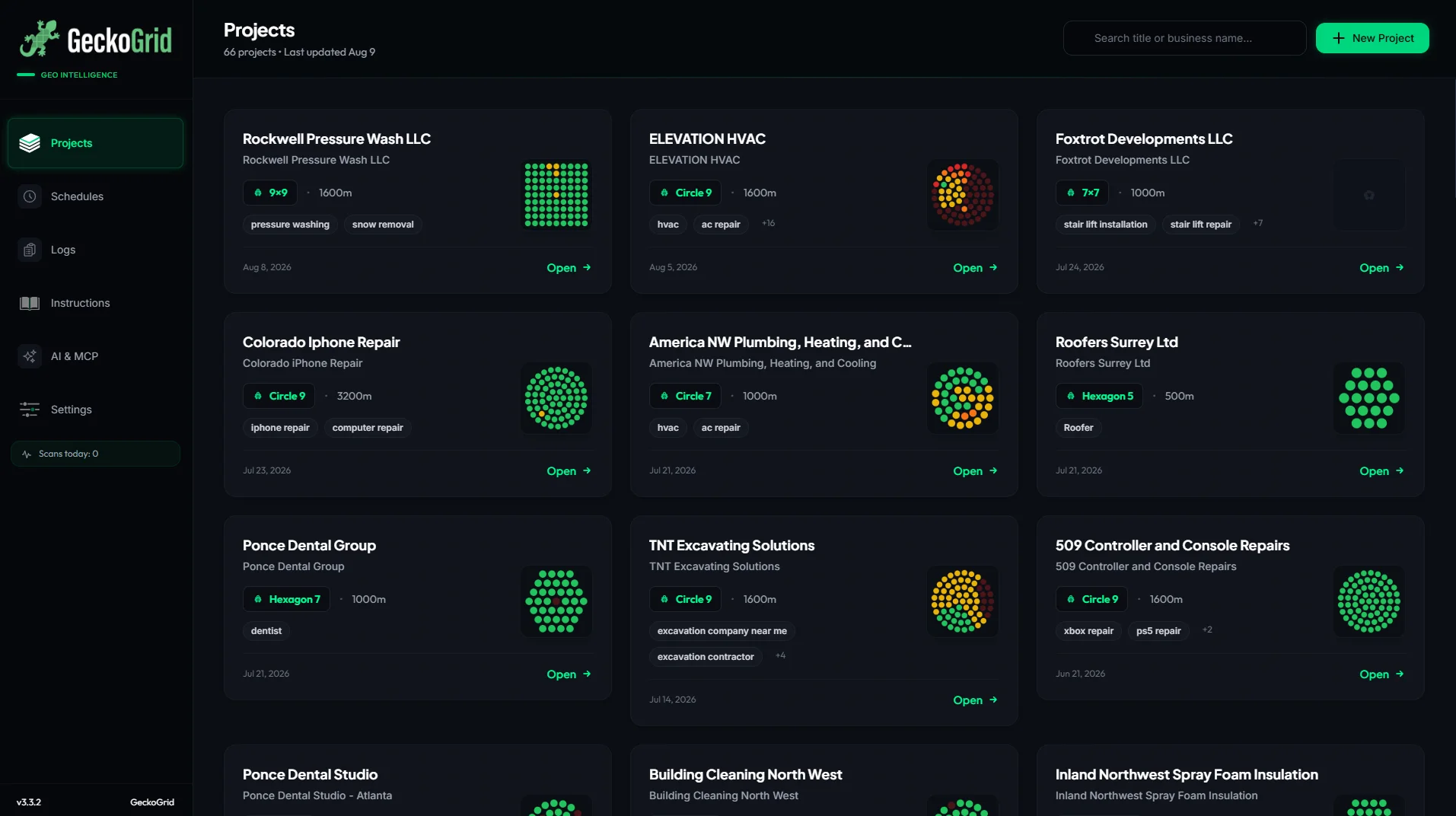
Instantly see visual previews of your latest heatmaps directly from the project dashboard.
Search hundreds of saved projects without opening separate tabs or digging through folders.
Every project remembers your grid size, precise center coordinate, and keywords.
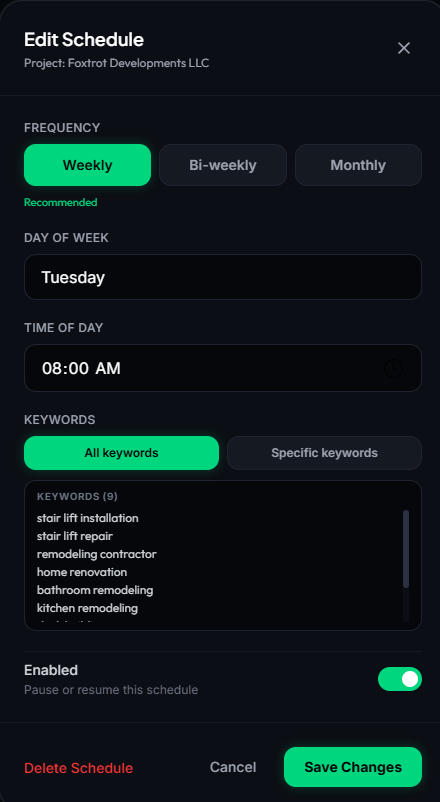
Build recurring scan routines without consuming credits. GeckoGrid schedules and queues the work from your own computer.
Put any project on a weekly, biweekly, or monthly schedule. Pick the time, choose "scan all keywords" or a specific subset. Keep GeckoGrid running or minimized to the tray and it handles recurring client reporting in the background.
Kick off another scan while one's running and it slots into a queue automatically, processing one project at a time. Queue a whole client roster, walk away, come back to fresh heatmaps across every location.
After a suggested max of 40 local browser scans per day (API scans don't count), the safety guardrail reduces concurrency to one. Scans continue, just at a more conservative pace.
Most geo-grid tools charge monthly and limit you with credits or locations. GeckoGrid never meters your local scans. Run Solo for everyday local tracking, Agency for API-powered scale, or own it for life.
All three buttons open the same secure Polar checkout, where you can review Solo, Agency, and Lifetime before payment.
To find your blindspots. You might rank #1 at your office, but be invisible three blocks away where a major competitor is dominant. GeckoGrid lets you see exactly where your authority drops off so you can stop guessing and start focusing your SEO (content, backlinks, GBP updates) on the specific neighborhoods where you're losing. It also helps you defend your turf: if a new competitor pops up in a corner of your grid, you'll see it on the heatmap long before you notice your phone stopping ringing.
Absolutely. As long as you keep your grid size consistent (e.g., always running a 5×5), you can compare today's scan against one from next month to visually prove your SEO efforts are "turning the map green."
GeckoGrid launches a local Chrome-based scanner, sets each grid point as the search location, and reads the live Google Maps results returned at that point.
GeckoGrid runs searches from your own computer and IP instead of buying results from a metered cloud API. Results can still vary with timing, personalization, and changes in Google Maps, so consistent grid settings are important when comparing scans.
We don't recommend it. Because a 7×7 grid changes the distance between scan points, the "density" of the data changes. For the most accurate before-and-after reporting, pick a grid size for a project and stick with it.
A 7x7 local scan often takes around 10 minutes, but timing varies with your concurrency setting, network, computer, and Google Maps response times. GeckoGrid spaces requests deliberately and processes queued scans one at a time.
Local Scans run right on your machine: free, unlimited, and ideal for single locations and everyday check-ins. API Scans (Agency and Lifetime plans) connect your own DataForSEO account and pull rankings through professional datacenter infrastructure. Entire grids finish in seconds and scale to every client and keyword with no pacing limits; a 7x7 grid runs $0.03 to $0.10 depending on scan speed. Use local for smaller scans, API for bulk work and hands-off AI-agent workflows. Both work with GeckoGrid's built-in MCP server.
GeckoGrid uses configurable delays and conservative concurrency limits. After 40 scans in one local day, its safety guardrail reduces concurrency to one. No automation can guarantee that Google will never rate-limit or block an IP, so use a steady recurring schedule instead of large bursts.
Yes. Put any project on a weekly, biweekly, or monthly schedule, choose the time, and scan all keywords or a selected subset. The project does not need to be open, but GeckoGrid must remain running or minimized to the tray and the computer must stay awake.
The AI & MCP page runs a local Model Context Protocol server with 28 tools and seven analyst skills. Copy its generated setup prompt into a compatible AI agent, restart that agent session, and it can read projects, analyze results, and trigger or schedule scans. GeckoGrid and the agent must run on the same machine.
A Windows PC or Mac (Apple Silicon) and Google Chrome. Once Chrome is installed, you're ready to launch GeckoGrid and start your first scan.
The $19 Solo plan covers solo local tracking with every core feature. The $39 Agency plan adds DataForSEO API scanning with your own key plus 10 machines for team use. The $249 Lifetime license is a one-time purchase that includes everything Agency has, forever. Monthly plans start with a 7-day free trial, all three use the same Polar checkout, and none charge per-grid-point credits.
Yes. There are no limits on how many businesses or locations you can scan. As long as it's installed on one of your licensed machines (3 to 10 machines depending on plan), you can use it for as many clients as you want. There's no cost per client.
As many as you need. Projects and scans live in a local database on your own machine, with no account limits or cloud caps. The only ceiling is your storage, and scans are tiny: a busy agency running hundreds of scans a month stays well under a gigabyte a year. A built-in retention setting keeps history tidy automatically.
Run as many geo-grid scans as you need, compare changes over time, and export client-ready reports without paying per-scan credits.
Get GeckoGrid, from $19/mo